
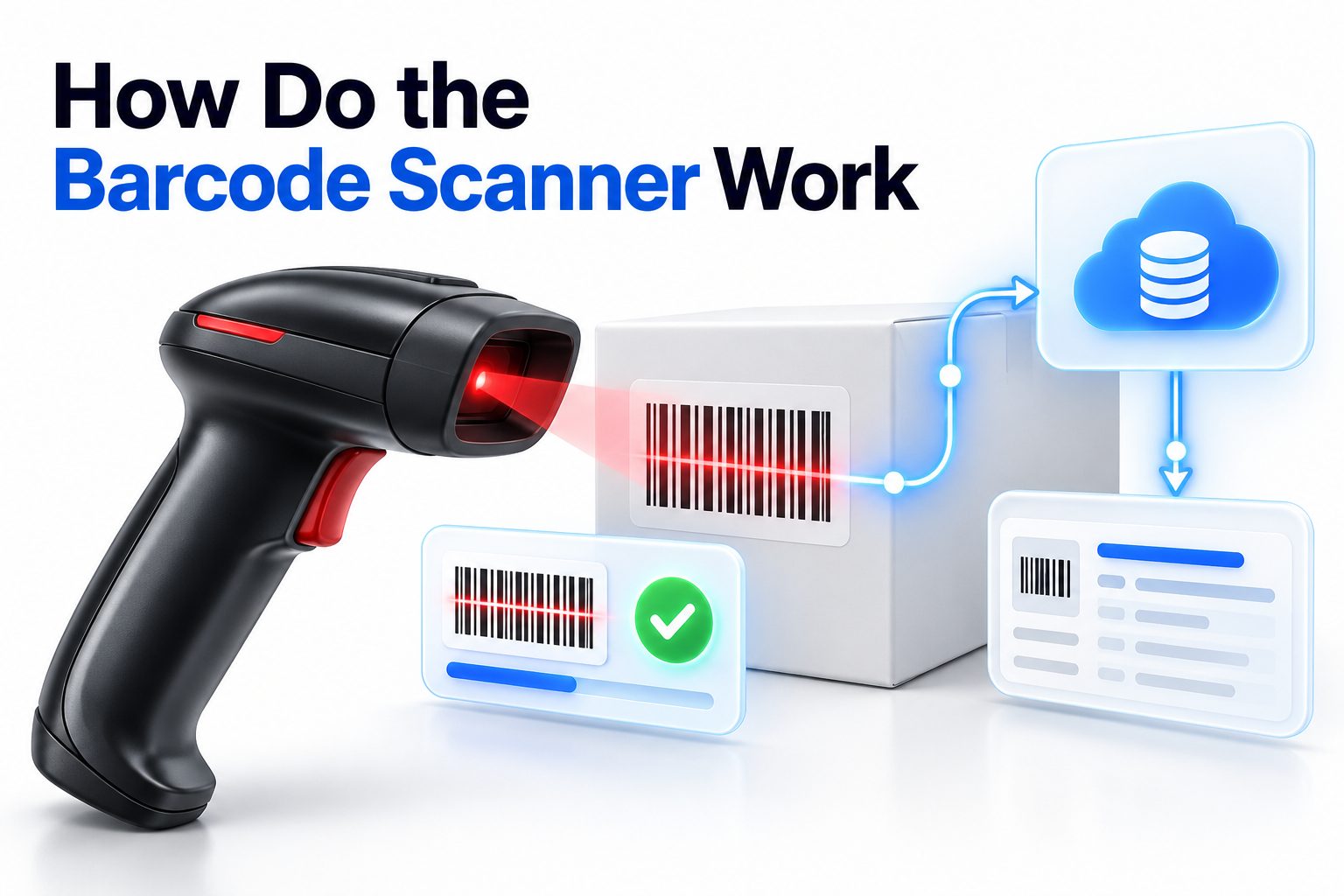
Barcode scanners are familiar at checkout counters, warehouses, libraries, hospitals, and shipping desks, yet many people still wonder how do the barcode scanner work when it appears to read a simple pattern of black lines. The answer is more practical than mysterious: a scanner shines light onto a barcode, detects the reflected pattern, converts that pattern into digital data, and sends the information to a connected computer or point-of-sale system.
This process takes only a fraction of a second, but several components work together to make it reliable. The scanner must identify the barcode, interpret its format, translate the pattern into numbers or characters, and match that data with information stored in a database.
This article explains the scanning process step by step, covers different types of barcode readers, compares one-dimensional and two-dimensional codes, and explains what happens when a scanner fails. You will also learn how businesses use barcode technology, what affects scanning accuracy, and when alternatives such as RFID may be more suitable.
What a Barcode Scanner Does
A barcode scanner reads encoded information and converts it into data that another system can use. A retail barcode, for example, usually does not contain the product name, price, or description directly. Instead, it stores a product identification number. The checkout system uses that number to retrieve product details from its database.
The scanner performs three main tasks. It illuminates the code, detects the differences between dark and light areas, and decodes the pattern according to the barcode’s rules. Once the data is interpreted, the scanner sends it through a wired or wireless connection.
A typical scanning sequence looks like this:
1. The scanner shines light, captures an image, or uses a laser to read the code.
2. A sensor detects the reflected light or visual pattern.
3. The scanner separates bars, spaces, squares, or other symbols.
4. Internal software converts those patterns into characters.
5. The decoded information is sent to a computer, register, mobile device, or inventory system.
6. The connected software uses the information to complete an action.
The scanner itself usually does not know what an item costs or where it belongs in a warehouse. It reads the identifier. The attached software decides what that identifier means and what should happen next.
How Light and Sensors Read a Barcode
Traditional barcodes use contrast to represent information. Black bars absorb more light, while white spaces reflect more light. A scanner’s light source shines across the code, and a sensor measures the changing intensity of the reflected light.
As the scanner moves across a one-dimensional barcode, the sensor detects a sequence of strong and weak reflections. Narrow bars and spaces produce shorter signals, while wider bars and spaces create longer signals. The decoder analyzes the timing and width of those signals to reconstruct the barcode’s pattern.
Laser scanners use a focused beam that sweeps across the barcode. They are effective for standard printed labels and can scan from a short distance. Image-based scanners use a camera instead. They capture the entire code as a picture and analyze it using software.
Image scanners have become common because they can read more than traditional horizontal barcodes. They can often read QR codes, damaged labels, barcodes displayed on phone screens, and codes held at different angles.
Key components inside a barcode scanner include:
- Light source: Provides illumination for the printed or digital code.
- Sensor or camera: Detects reflected light or captures an image.
- Decoder: Interprets the pattern according to a barcode standard.
- Processor: Handles image analysis, error checking, and data formatting.
- Interface: Sends the result to a connected device or application.
- Trigger: Activates the scan when the user presses a button or presents an item.
The Role of Barcode Symbology
A barcode symbology is the set of rules that defines how information is represented. It determines the shape of the code, how characters are encoded, the meaning of start and stop patterns, and how errors are detected.
Common one-dimensional formats include UPC, EAN, Code 39, Code 128, and Interleaved 2 of 5. UPC codes are widely used for retail products in North America, while EAN codes are common internationally. Code 128 is popular in logistics because it can store a broader range of characters in a compact space.
Two-dimensional formats include QR Code, Data Matrix, and PDF417. These codes store information across both horizontal and vertical dimensions, allowing them to hold much more data than a standard retail barcode.
The scanner must support the symbology it is attempting to read. A device configured only for UPC codes may not recognize a Data Matrix symbol, even if the image is clear. Many modern scanners support multiple formats, but their capabilities still depend on the model and software settings.
One-dimensional and Two-dimensional Barcodes Compared
| Feature | One-dimensional barcode | Two-dimensional barcode |
|—|—|—|
| Basic structure | Parallel bars and spaces | Squares, dots, or stacked patterns |
| Data capacity | Usually limited | Much higher |
| Common uses | Retail products and simple labels | Payments, shipping, tickets, medical labels |
| Scanning direction | Often requires a relatively clear horizontal path | Can usually be scanned from several angles |
| Damage tolerance | Depends on the format and condition | Many formats include error correction |
| Typical scanner | Laser or image scanner | Usually an image-based scanner |
What Happens After the Scan
After decoding, the scanner sends the result to a host system. The connection may use USB, Bluetooth, Wi-Fi, Ethernet, or a specialized point-of-sale interface. In many basic setups, the scanner behaves like a keyboard by typing the decoded characters into the active application.
At a retail checkout, the product number is sent to the point-of-sale software. The software searches its product database, retrieves the current price and description, updates inventory, and adds the item to the customer’s transaction. The scanner has completed its role once it transmits the correct code.
In a warehouse, the result may trigger a different action. Scanning a location label can tell the warehouse management system where a worker is standing. Scanning a product and quantity label can confirm a receiving, picking, packing, or shipping step.
A barcode can therefore support many processes without changing its basic function. The same type of code may identify a product, package, shelf, patient record, asset, document, or work order. The connected software determines how the data is used.
Common Barcode Scanner Types
Different scanning environments require different hardware. A small shop may need an affordable handheld reader, while a distribution center may use fixed scanners, wearable devices, or long-range readers.
Handheld scanners are the familiar gun-shaped devices used at retail counters and service desks. They are flexible, easy to aim, and available in wired and wireless versions. Their main limitation is that someone must pick up or point the scanner at every item.
Presentation scanners sit on a counter and scan items as the user moves them across the scanning area. They often use multiple cameras or scanning angles, allowing products to be read quickly without careful alignment. Grocery stores and busy retail locations commonly use this design.
Fixed-mount scanners are installed into a conveyor, kiosk, gate, or production line. They scan items automatically as they pass through a defined area. These systems are useful when speed, consistent positioning, and automation matter more than portability.
Mobile computers combine a barcode scanner with a display, operating system, wireless connection, and business application. Warehouse employees can scan an item and immediately see instructions, stock levels, or delivery information on the same device.
Smartphones can also read many barcodes through their cameras. They are convenient for occasional scanning, but they may be slower or less durable than dedicated scanners in high-volume environments.
Advantages and Limitations by Scanner Type
- Handheld scanners: Flexible and affordable, but they require manual aiming.
- Presentation scanners: Fast for retail counters, but they need a fixed installation.
- Fixed-mount scanners: Suitable for automation, but installation and configuration can be more complex.
- Mobile computers: Provide scanning and workflow information together, but typically cost more.
- Smartphone cameras: Convenient for light use, but performance depends on the device, application, lighting, and label quality.
How QR Code Scanning Differs
A QR code is a two-dimensional barcode made of dark and light squares arranged in a grid. The three large corner markers help the camera identify the code’s position and orientation. This allows the scanner to locate and read the symbol even when it is rotated.
Unlike a traditional laser reader, a QR code scanner usually captures an image. Software detects the square grid, corrects the perspective, reads the encoded modules, and applies error correction when necessary. The decoded result may be a web address, text, payment request, contact record, or other data.
QR codes can be scanned from printed materials or screens. A phone camera may read a QR code on a poster, product package, restaurant menu, or another phone. Bright glare, low screen brightness, extreme angles, or a damaged code can still interfere with the process.
QR codes also have practical limits. A larger amount of stored information usually creates a denser and more complex symbol. Dense codes require better printing quality and more accurate imaging. A simple URL is generally easier to scan than a large block of text.
Why a Barcode Scanner Fails
A scanner can fail even when the barcode appears readable to the human eye. Human vision can often fill in missing details, but a scanner needs enough contrast, alignment, and data integrity to decode the pattern correctly.
The label may be damaged, wrinkled, faded, scratched, or covered by tape. Glossy packaging can reflect the scanner’s light directly into the sensor. Poor printing, insufficient quiet space around the code, or an incorrect label size can also reduce scan performance.
The scanner may also be unable to read the format. For example, a device configured for common retail codes may not support a specialized logistics or healthcare symbology. Configuration settings, disabled symbologies, and software connection problems are frequent causes of failure.
Common causes include:
- Low contrast between the bars and background
- Blurred or low-resolution printing
- Wrinkled, torn, or partially covered labels
- Glare from plastic, glass, or laminated surfaces
- Barcode presented too close or too far away
- Incorrect scanning angle
- Insufficient lighting for an image-based scanner
- Unsupported barcode type
- Damaged or incomplete data
- Bluetooth, USB, Wi-Fi, or application connection problems
Practical Barcode Scanning Troubleshooting
When a barcode does not scan, start with the label rather than repeatedly pressing the trigger. Move the item into better lighting, clean the scanner window, and check whether the code is visibly damaged. For a printed barcode, try a different label or manually enter the identifier if the workflow allows it.
Change the distance and angle gradually. Some scanners need to be closer, while others work better when held several inches away. Avoid placing the scanner directly against a glossy surface. For QR codes, make sure the full symbol is visible and that the camera can focus on it.
If the physical label looks fine, check the system. Confirm that the scanner is connected, the correct application is active, and the required barcode format is enabled. A test scan into a text field can help determine whether the issue is hardware-related or specific to the business software.
Use this basic troubleshooting sequence:
1. Inspect the barcode for damage, smudging, folds, or missing sections.
2. Clean the scanner window or camera lens.
3. Improve the lighting and reduce glare.
4. Adjust the scanning distance and angle.
5. Confirm that the entire barcode is visible.
6. Test another known-good barcode.
7. Check whether the scanner supports the barcode format.
8. Verify the cable, Bluetooth, Wi-Fi, or application connection.
9. Replace the label if the code is physically defective.
10. Contact the equipment provider if multiple good labels fail.
Improving Barcode Scanning Accuracy
Good scanning performance begins with good label design. Print the barcode at a suitable size, maintain clear contrast, and leave enough blank space around the symbol. This blank area, called the quiet zone, helps the scanner distinguish the barcode from nearby text or graphics.
Choose a printer and material that suit the environment. Thermal labels may work well in a warehouse, but outdoor, refrigerated, or chemical environments may require more durable stock. A label that fades or peels quickly can create recurring scanning problems.
Position labels where workers and scanners can reach them easily. Avoid placing a barcode across a seam, curve, edge, or heavily textured surface. On cylindrical products, a label may need to be positioned so the entire code remains visible from the expected scanning direction.
Important label practices include:
- Use strong contrast, usually dark bars on a light background.
- Keep the barcode large enough for the intended scanning distance.
- Leave a clear quiet zone around the symbol.
- Avoid placing important bars over folds, corners, or curved edges.
- Test labels using the actual scanner and software.
- Use appropriate protective materials for heat, moisture, abrasion, or chemicals.
- Do not stretch or compress barcode artwork during printing.
- Keep human-readable text available when manual backup is important.
Barcode Scanners in Retail and Inventory
Retail systems use barcode scanners to identify products quickly and consistently. When a cashier scans an item, the point-of-sale system can retrieve its name, price, tax category, discounts, and stock information. This reduces manual data entry and makes checkout faster.
Inventory teams use scanners to record receiving, transfers, cycle counts, replenishment, and order picking. Instead of typing a long product code, a worker scans the item and location. The system can then compare the scan with the expected workflow and identify mistakes before an order leaves the facility.
The value comes from connecting scanning to accurate records. A scanner cannot correct an outdated product database, an incorrectly printed label, or a mislabeled shelf. Barcode technology improves speed and traceability when the surrounding process is designed properly.
A small business planning a barcode system may benefit from reviewing [inventory management software options] before choosing hardware. The software’s supported formats, integrations, device compatibility, and reporting features often matter as much as the scanner itself.
Barcode Scanners in Healthcare, Shipping, and Manufacturing
Healthcare organizations use barcodes to identify patients, medications, specimens, equipment, and documents. Scanning can help staff verify that the correct medication or sample is associated with the correct record. Because healthcare data is sensitive, the scanner must operate within secure systems and carefully controlled workflows.
Shipping companies use barcodes on parcels, pallets, delivery documents, and sorting labels. A package may be scanned multiple times as it moves through receiving, sorting, loading, transit, and delivery. Each scan creates a time-stamped event that helps track its progress.
Manufacturers use barcodes to identify raw materials, work-in-progress items, finished goods, tools, and quality records. Scans can connect a component to a production order or record which station completed a particular operation.
For teams reviewing [warehouse barcode labeling best practices], the most important factors include label durability, placement, scan distance, lighting, workflow design, and integration with the warehouse management system.
Barcode Technology and Data Security
A barcode generally does not protect information through encryption. It stores data in a visual format that can often be read by any compatible scanner. A code may contain only a harmless identifier, but it could also contain a web address, account reference, or other data that should not be exposed carelessly.
Security depends on the system behind the barcode. Access controls, authentication, encryption, audit logs, and validation rules protect the information retrieved after scanning. A scanner should not automatically trust every code, especially when codes can redirect users to websites or trigger software actions.
Businesses should validate scanned data before accepting it. A product code should match an expected format, a warehouse location should exist, and a payment-related QR code should be checked carefully before a transaction is approved.
Barcodes and RFID Compared
Barcode systems require a scanner to see the code, while RFID systems use radio signals to communicate with tags. A barcode normally identifies one item at a time and often requires a clear line of sight. RFID can read certain tags without direct visual alignment and may identify multiple tagged items in a single operation.
Barcodes are usually less expensive to print and deploy. They are easy to replace, widely supported, and practical for many retail, warehouse, shipping, and document workflows. RFID may provide advantages when organizations need faster bulk reading, automatic location tracking, or identification through packaging.
RFID is not automatically better. Metal, liquids, radio interference, tag costs, installation requirements, and software complexity can affect results. Many organizations use both technologies, selecting the one that fits each process.
Common Barcode Scanning Mistakes
One frequent mistake is choosing a scanner based only on price. A low-cost device may work perfectly in a quiet office but struggle with long-range scanning, cold storage, reflective packaging, or high-volume use. The environment should guide the hardware choice.
Another mistake is treating the barcode as the entire system. Labels, printers, scanners, software, databases, networks, and employee procedures all affect reliability. A fast scanner cannot compensate for inconsistent product records or poor label placement.
Businesses also sometimes skip real-world testing. A barcode may scan successfully on a sample sheet but fail when printed on curved packaging, covered in plastic, or viewed under warehouse lighting. Testing should use actual materials, distances, workflows, and devices.
Avoid these mistakes:
- Buying hardware before listing required barcode formats
- Ignoring the scanning distance and expected work speed
- Printing labels without testing the quiet zone
- Placing barcodes on seams, corners, or curved edges
- Assuming every smartphone app offers the same accuracy
- Failing to plan for damaged labels or manual entry
- Connecting scanners without testing the target software
- Neglecting staff training and workflow instructions
The Future of Barcode Scanning
Barcode scanning continues to improve through better cameras, image processing, mobile devices, and software integration. Modern readers can often handle multiple formats, read codes from screens, and decode symbols at different angles. Machine vision systems also combine barcode reading with package inspection and object recognition.
Cloud-connected systems allow scan events to update inventory, delivery, and production records across multiple locations. Mobile devices can provide immediate instructions instead of simply transmitting a number. In automated facilities, fixed scanners can work alongside conveyors, robots, and warehouse software.
The basic principle remains unchanged. A visual pattern represents data, a sensor captures that pattern, decoding software interprets it, and another system uses the result. Newer equipment improves speed, flexibility, and reliability, but it still depends on accurate labels and well-designed processes.
Conclusion
A barcode scanner reads a code by using light or a camera to detect the contrast and structure of its printed or digital pattern. The scanner’s decoder translates that pattern into characters, then sends the result to a computer, point-of-sale system, mobile device, or business application. The surrounding software uses the identifier to retrieve prices, update inventory, confirm shipments, or record other activities.
The answer to how do the barcode scanner work is therefore a combination of optics, sensors, decoding software, and database integration. Laser scanners read reflected light across traditional barcodes, while image-based readers capture and analyze complete images, including QR codes and other two-dimensional symbols.
Reliable performance depends on more than the scanner itself. Clear labels, correct barcode formats, suitable hardware, good placement, proper connections, and accurate software records all matter. When a scan fails, check the label, lighting, distance, format support, and system connection in that order. With the right setup, barcode scanning remains a fast, practical way to identify and track physical items.
Frequently Asked Questions
Do barcode scanners store product information?
Usually, no. Most scanners decode a product identifier and send it to another system. The point-of-sale or inventory database stores the product name, price, stock level, and other details linked to that identifier.
Can a phone work as a barcode scanner?
Yes, a smartphone camera can read many one-dimensional and two-dimensional barcodes through a compatible application. Phones are useful for occasional scanning, while dedicated devices are generally better for continuous, high-volume, or demanding work.
Why does a barcode scan but show the wrong item?
The scanner may be reading the code correctly while the connected database contains an incorrect product record. Check the printed label, product identifier, database mapping, and software configuration before replacing the scanner.
Do barcode scanners need internet access?
Not always. A scanner can often decode a barcode and send the data to a locally connected computer without internet access. Internet access may be required when the application uses cloud databases, online validation, or remote synchronization.
What is the difference between a barcode scanner and a QR scanner?
A barcode scanner may refer to a device designed for one-dimensional codes, while a QR scanner generally uses a camera to read two-dimensional codes. Many modern image-based scanners support both barcode types.